FaxZero Review 2026 — Free Fax Limits, Safety & Best Alternatives
By the Attajer Editorial Team · 12 min read · Last updated July 6, 2026
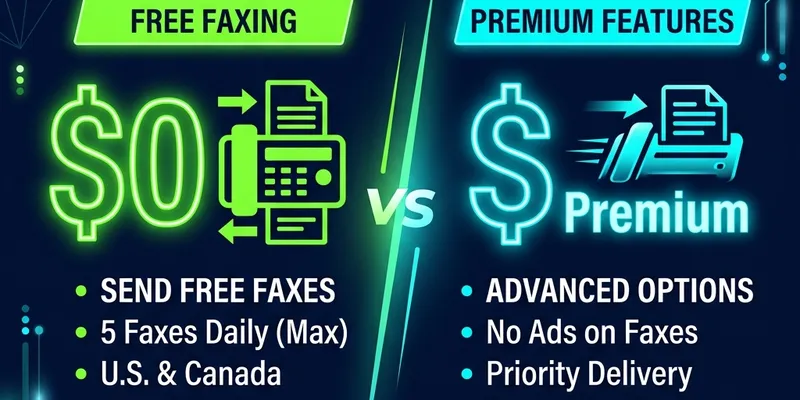
FaxZero (also known as Fax Zero) promises free online faxing — but there’s always a catch. Your cover page gets plastered with advertisements, you’re capped at 5 pages per fax, you can’t receive faxes, and it only works for US and Canadian numbers. Is it still worth using in 2026? We tested it thoroughly so you don’t have to.
Quick answer: FaxZero lets you send free faxes (up to 5 pages per fax, 5 faxes/day) but places ads on your cover page, only works for US/Canada numbers, and doesn't support receiving faxes. For a more capable free option, Fax.plus offers 10 free pages with no ads, mobile apps, and international support.
5 pages/day with ads · US/Canada only · No receiving · No app · No encryption info
FaxZero works for the occasional, non-sensitive, one-off fax — and nothing more. If you need professional faxing, receiving capabilities, a mobile app, or any security compliance, Fax.plus is the better free option with 10 pages, zero ads, and HIPAA compliance.
*Affiliate link · 10 free pages, no credit card requiredWhat Is FaxZero?
FaxZero is a web-based service that lets you send faxes online without a fax machine. It launched in 2006 and has remained largely unchanged since then. The service is operated by a small independent company and supports the free tier through advertising revenue — specifically, a full-page ad printed on your fax cover page.
Unlike modern online fax services, FaxZero does not require an account, has no mobile app, and offers no dashboard or fax history. You simply visit the website, fill in sender and recipient details, upload a document, and hit send. There’s no account to manage, which sounds convenient but also means zero fax tracking, no retry options, and no delivery confirmation beyond a basic email notification.
FaxZero positions itself as a quick, no-commitment option for people who rarely fax. It’s ad-supported and bare-bones by design. But in 2026, when services like Fax.plus offer 10 free pages without ads or account fees, the question becomes: is “free with ads” still a good deal?
FaxZero Pricing in 2026
FaxZero offers two tiers: a free ad-supported option and a paid per-fax option. There are no monthly subscriptions.
| Feature | FaxZero Free | FaxZero Paid | Fax.plus Free |
|---|---|---|---|
| Price | $0 | $1.99/fax | $0 |
| Pages per fax | 5 total (3 content) | 25 pages | 10 pages |
| Cover page ads | ✗ Yes, full-page ad | ✓ No ads | ✓ No ads |
| US/Canada faxing | ✓ | ✓ | ✓ |
| International faxing | ✗ | $2.09/fax (limited countries) | ✓ 40+ countries |
| Receive faxes | ✗ | ✗ | ✓ (paid plans) |
| Mobile app | ✗ | ✗ | ✓ iOS + Android |
| HIPAA compliance | ✗ | ✗ | ✓ |
Key pricing takeaway: FaxZero’s free tier is genuinely free, but you only get 3 usable content pages (the 5-page limit includes the cover page and confirmation page). The $1.99 paid option removes ads and allows up to 25 pages. International faxes cost $2.09 each. By comparison, free fax services like Fax.plus give you 10 clean pages at no cost.
FaxZero Free Fax Limits in 2026 (Official)
This is one of the most searched questions about FaxZero. Here are the official FaxZero free plan limits as of 2026:
FaxZero Free Plan — Exact Limits
| Limit | FaxZero Free (2026) | Fax.plus Free |
|---|---|---|
| Pages per fax | 5 pages total | 10 pages |
| Usable content pages | 3 pages only (cover page + confirmation page count toward the 5) | 10 pages |
| Faxes per day | 5 faxes/day | Unlimited (within 10 free page allotment) |
| Ads on cover page | Yes — full-page FaxZero ad | No ads |
| File size limit | Up to 5 MB per file | Up to 20 MB |
| Destinations | US and Canada only | 40+ countries |
| Account required | No | Yes (free) |
| Receive faxes | Not possible | Yes (paid plans) |
Bottom line on FaxZero limits: The “5 pages” headline is misleading. In practice, you only get 3 usable content pages because the mandatory ad-covered cover page and an auto-generated confirmation page each consume one of your 5 slots. If your document is longer than 3 pages, FaxZero won’t work for you.
If these limits don’t work for you, Fax.plus offers 10 truly free pages with no ads, no account fee, and support for 40+ countries. See our full free fax guide for all options.
How to Send a Fax with FaxZero
FaxZero keeps things simple — perhaps too simple. Here’s the three-step process:
Enter Sender & Recipient Info
Visit FaxZero.com and fill in your name, email, and the recipient’s fax number. No account or registration needed. You’ll also write a cover page message (which will appear alongside the FaxZero ad on free faxes).
Upload Your Document
Attach up to 3 files (PDF, Word, or image). Remember, on the free tier you get only 3 content pages total. FaxZero converts your files to fax format server-side.
Confirm & Send
Complete a CAPTCHA, click send, and wait. FaxZero emails you a confirmation code that you must click to actually transmit the fax. Delivery typically takes 5–20 minutes, though delays are common during peak hours.
The process works, but the email confirmation step adds unnecessary friction. You can’t just send and forget — you must check your email and click a link before the fax actually goes out. If your email gets delayed or lands in spam, your fax sits in limbo.
FaxZero Features & Limitations
Let’s break down what FaxZero actually offers and where it falls short:
| Feature | Details | Verdict |
|---|---|---|
| Free faxing | 5 pages/fax (3 content), US/Canada only | Acceptable |
| Cover page ads | Full-page FaxZero ad on every free fax | Unprofessional |
| File formats | PDF, DOC, DOCX, XLS, JPG, PNG, GIF, TIF | Good |
| Account required | No account needed | Convenient |
| Fax history | None — no dashboard or logs | Missing |
| Receiving faxes | Not supported | Missing |
| Mobile app | Not available | Missing |
| International | $2.09/fax, limited countries | Limited |
| Email confirmation | Must click email link to send each fax | Inconvenient |
| Integrations | None (no API, no Gmail, no Slack) | Missing |
| Security/encryption | Not specified publicly | Concerning |
| HIPAA compliance | No | Not suitable |
FaxZero vs Fax.plus — 12-Point Comparison
Here’s how FaxZero stacks up against Fax.plus across every category that matters:
| Criteria | FaxZero | Fax.plus ✓ |
|---|---|---|
| Free pages | 3 content pages/fax | 10 pages total |
| Ads on faxes | ✗ Full-page cover ad | ✓ Clean, ad-free |
| Receive faxes | ✗ Not available | ✓ Dedicated fax number |
| Mobile app | ✗ None | ✓ iOS + Android (4.5+ stars) |
| International faxing | ✗ US/CA free; limited paid | ✓ 40+ countries |
| HIPAA compliance | ✗ No | ✓ Enterprise plan |
| Encryption (TLS/AES) | ✗ Not published | ✓ TLS + AES-256 |
| Gmail integration | ✗ None | ✓ Native add-in |
| API access | ✗ None | ✓ Full REST API |
| Fax history/dashboard | ✗ None | ✓ Full cloud dashboard |
| E-signatures | ✗ None | ✓ Built-in |
| Our rating | 5.5/10 | 9.6/10 |
The comparison is stark. FaxZero wins on exactly one point: no account required. In every other measurable category — free pages, features, security, mobile support, and integrations — Fax.plus is the clear winner.
FaxZero Pros and Cons
✓ Pros
- Genuinely free — no credit card or account needed
- No registration — no sign-up, no password to remember
- Simple interface — fill in fields and send, nothing complicated
- Supports common file formats — PDF, Word, Excel, images
- Has been around since 2006 — long track record of operation
✗ Cons
- Ads on every free fax — full-page FaxZero advertisement on your cover page looks unprofessional
- No mobile app — web browser only, no iOS or Android app available
- Cannot receive faxes — send-only service with no incoming fax number
- US and Canada only — free faxing limited to domestic numbers (international costs $2.09)
- Only 3 content pages — the “5-page” limit includes cover and confirmation pages
- No fax history or tracking — once sent, there’s no way to re-access or verify your fax
- No security certifications — no HIPAA, no SOC 2, no published encryption standards
User Experience Review
We tested FaxZero multiple times to evaluate the real-world experience. Here’s what we found:
The website looks dated. FaxZero’s design hasn’t been meaningfully updated in years. It’s functional but feels like a relic of the mid-2000s web. On mobile browsers, the layout doesn’t adapt well — input fields are small and difficult to use on a phone screen.
The email confirmation adds unnecessary friction. After filling in all your details and uploading your document, you still need to check your email and click a confirmation link before the fax is actually sent. In our testing, confirmation emails arrived within 1–3 minutes, but if they land in your spam folder, your fax simply won’t go out until you find and click the link.
Delivery times vary wildly. Some faxes arrived at the destination within 5 minutes. Others took 30+ minutes. FaxZero does note on its site that free faxes are lower priority than paid ones, so delays during busy periods are expected.
No confirmation beyond email. You get an email saying your fax was “sent,” but there’s no dashboard to check delivery status, no read receipt, and no way to resend if it fails. For professional fax needs, this is a dealbreaker.
Security & Privacy Concerns
Security is where FaxZero raises the most red flags. Here’s what we found — or rather, what we couldn’t find:
- No HIPAA compliance — FaxZero cannot be used for protected health information (PHI). Healthcare providers, clinics, and pharmacies should avoid it entirely.
- No published encryption standards — FaxZero does not publicly state whether it uses TLS for data in transit or AES-256 for data at rest. This is a significant omission for any service that handles documents.
- No SOC 2 or ISO 27001 certification — there are no third-party security audits mentioned anywhere on the site.
- No privacy policy details on data retention — it’s unclear how long FaxZero stores your uploaded documents or personal information after a fax is sent.
- Ad-supported model raises questions — when a service is free and ad-supported, your usage data may be shared with advertising partners.
Our recommendation: Never send sensitive, confidential, medical, legal, or financial documents through FaxZero. For any document that requires security, use a service with published encryption standards and compliance certifications. Fax.plus offers TLS encryption, AES-256 storage, HIPAA compliance (Enterprise), and SOC 2 Type II certification.
Who Should Use FaxZero?
FaxZero has an extremely narrow use case. It’s suitable only if all of the following apply to you:
- You need to send a one-off fax and don’t expect to fax again
- The document is non-sensitive (no medical, financial, or legal content)
- You don’t mind ads on your cover page
- The recipient is in the US or Canada
- Your document is 3 pages or fewer
- You don’t need to receive a fax back
If any single condition above doesn’t apply, FaxZero is not the right tool. For regular faxing, business use, international destinations, receiving faxes, or any security-sensitive documents, a full-featured service is essential. Check our guide to free fax services or our best free fax apps for 2026 for better options.
Final Verdict: FaxZero Review
FaxZero does what it claims — it sends a fax for free. But in 2026, “free with ads and severe limitations” is no longer compelling when genuinely better free alternatives exist. The lack of receiving, mobile app, security transparency, and the ad-covered cover page make it unsuitable for professional or regular use.
Our recommendation: Use Fax.plus instead. You get 10 free pages with no ads, a dedicated fax number on paid plans, HIPAA compliance, mobile apps, and international coverage — all from a service that takes security seriously. It’s free to start and no credit card is required.
Frequently Asked Questions
Yes, FaxZero lets you send up to 5 pages per fax (3 content pages + cover + confirmation) for free to US and Canadian numbers. However, every free fax includes a full-page FaxZero advertisement on the cover page. To remove ads, you must pay $1.99 per fax. Fax.plus offers 10 free pages with no ads and no credit card required.
FaxZero is a legitimate service that has operated since 2006, but it does not mention encryption standards, is not HIPAA compliant, and does not publish a SOC 2 or ISO 27001 certification. Avoid sending sensitive medical, legal, or financial documents through FaxZero. For secure faxing, use a HIPAA-compliant service like Fax.plus.
No. FaxZero is a send-only service. You cannot get a fax number or receive incoming faxes. If you need to receive faxes, you will need a full-featured service like Fax.plus, which provides dedicated fax numbers in 40+ countries.
FaxZero only supports free faxing to US and Canadian numbers. International faxes cost $2.09 per fax to select countries. Coverage is limited compared to services like Fax.plus, which supports faxing to over 40 countries on all plans.
No. FaxZero does not offer a mobile app for iOS or Android. It is a web-only service, so you must use a browser on your phone or computer. For mobile faxing, Fax.plus has highly-rated apps on both iOS and Android.
Fax.plus is the best alternative to FaxZero. It offers 10 free pages (no ads, no credit card), a dedicated fax number, mobile apps, HIPAA compliance, international faxing to 40+ countries, and integrations with Gmail, Slack, and Zapier. Paid plans start at just $6.99/month.
In 2026, FaxZero's free plan allows up to 5 pages per fax — but only 3 of those are usable content pages. The mandatory cover page (with FaxZero ad) and the confirmation page each count toward the 5-page total. You can send up to 5 faxes per day. The service is limited to US and Canadian numbers on the free tier.
FaxZero allows up to 5 free faxes per day in 2026, with a maximum of 5 pages per fax (3 usable content pages). For unlimited sending, you'd need to pay $1.99 per fax for the premium option, or switch to a subscription service like Fax.plus ($6.99/month, 400 pages).
No. FaxZero is not HIPAA compliant. It does not publish encryption standards, has no BAA (Business Associate Agreement), and is not suitable for transmitting protected health information (PHI). Healthcare providers should use a HIPAA-certified service like Fax.plus instead.
Related Guides
Free Fax Online
Compare every free fax service available in 2026 and find the best option for your needs.
eFax Review 2026
Is eFax worth $18.99/month? Our honest review with pricing breakdown and better alternatives.
Best Free Fax Apps
Top-rated free fax apps for iPhone and Android — send faxes from your phone in minutes.
Dropbox Fax Review
Can you fax from Dropbox? Our review of Dropbox Fax and how it compares to alternatives.