Want to send a fax from Gmail? You can! With Fax.plus, your Gmail becomes a powerful fax machine. Send and receive faxes directly from your Gmail inbox — no phone line, no fax machine, no plugins. Works with personal Gmail and Google Workspace business accounts.
Sending a fax from Gmail takes less than 2 minutes. No software to install, no browser extensions needed. Here's exactly how to do it:
Go to fax.plus and sign up using your Gmail address. You'll get 10 free fax pages instantly — no credit card required. Make sure you register with the Gmail address you want to send faxes from.
Open Gmail and click Compose. In the "To" field, type the recipient's fax number
followed by @fax.plus (e.g., +12025551234@fax.plus). The subject line
becomes your cover sheet note.
Attach any PDF, Word document, or image — these become your fax pages. Click Send. You'll receive a delivery confirmation email in your Gmail inbox within seconds.
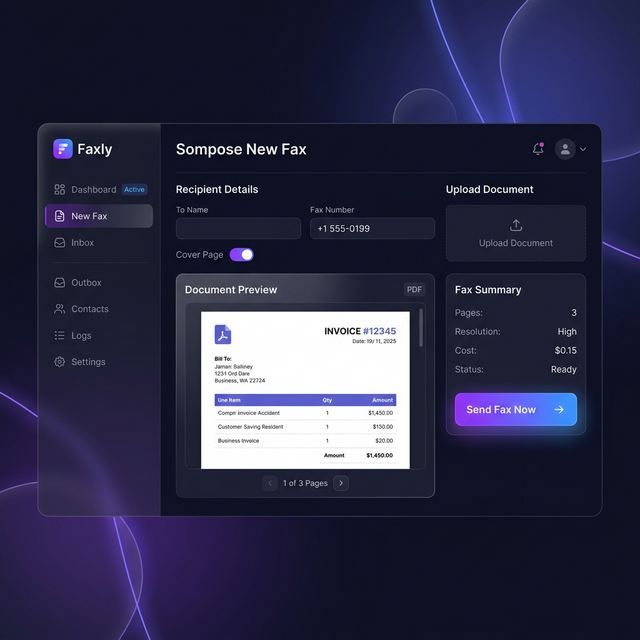
One of the most searched questions in 2026 is "can you send a fax from Gmail?" The short answer: yes, absolutely.
While Gmail doesn't have a built-in fax button, Fax.plus bridges the gap seamlessly. There's nothing to install — no Chrome extensions, no add-ons, no plugins. Your Gmail account works as-is. Fax.plus uses the standard email protocol (SMTP) to receive your Gmail message and convert it into a fax transmission.
This means you can fax from Gmail on any device — your computer, phone, or tablet. If you can send an email, you can send a fax. It's as simple as that.
Whether you're using a personal Gmail account or a Google Workspace business account, the process is identical. Your IT team doesn't need to configure anything — each employee can start faxing from their corporate Gmail immediately.
No plugins. No extensions.
No software to install.
Works with personal Gmail, Google Workspace, and Google One accounts.
Connect Your Gmail NowRunning a business on Google Workspace? Fax.plus integrates perfectly with your entire organization's Gmail infrastructure.
Every team member can send faxes from their corporate Gmail address. Shared fax numbers let your whole department receive incoming faxes — all delivered as PDFs to Gmail.
Fax documents stored in Google Drive directly. Upload from Drive, or save received faxes to Drive automatically. Keep your fax archive organized alongside your other business files.
For healthcare and regulated industries, Fax.plus provides full HIPAA compliance with BAA agreements. Send patient records, legal documents, and financial data securely from Gmail.
With Fax.plus, receiving faxes in your Gmail inbox is automatic:
Choose a local or toll-free fax number from the US, Canada, UK, or 40+ other countries.
Every incoming fax is automatically converted to a PDF attachment and delivered to your Gmail inbox — instantly.
Set up Gmail labels to automatically organize incoming faxes. Create filters to forward faxes to specific team members or folders.
Get a dedicated fax number linked to your Gmail — included free with all paid plans. With the free plan, you can send 10 pages and receive faxes at your number.
Example: Someone sends a
fax to your number +1 (202) 555-0199
→ You receive it as a PDF in your Gmail inbox within seconds
| Method | Cost | Speed |
|---|---|---|
| Gmail + Fax.plus | Free (10 pages) | Under 2 min |
| UPS / FedEx Store | $2-3/page | 30+ min (drive + wait) |
| Physical fax machine | $100+ hardware | 5 min (if you have one) |
Looking for a way to send a free fax from Gmail? Fax.plus is the most popular free Gmail fax solution in 2026. Here's what you get with the free plan:
Send up to 10 fax pages completely free. No credit card, no hidden fees, no trial expiration.
Nothing to download. Just compose a Gmail message and send. Works on desktop, mobile, and tablet.
Send faxes from Gmail to over 180 countries worldwide. International fax numbers available in 40+ countries.
Fax.plus isn't limited to Gmail. Send faxes from any email client:
Send faxes from Outlook, Office 365, and Hotmail. Same simple process — no plugins needed.
Yahoo Mail users can send faxes too. Compose, attach, send — same 3-step process as Gmail.
Apple Mail, ProtonMail, Thunderbird — if it can send email, it can send faxes with Fax.plus.
Yes, you can fax from Gmail using Fax.plus. Gmail doesn't have a built-in fax feature, but Fax.plus lets you send faxes by composing a regular Gmail message. Enter the fax number followed by @fax.plus in the "To" field, attach your document, and click send. It works with both personal Gmail and Google Workspace accounts.
Sign up for a free Fax.plus account using your Gmail address — you'll get 10 free fax pages, no credit card required. Then compose a new email in Gmail, type the recipient's fax number followed by @fax.plus in the To field (e.g., +12025551234@fax.plus), attach your document, and hit send.
Yes! When you create a Fax.plus account, you get a dedicated fax number. Any fax sent to that number is automatically converted to a PDF and delivered directly to your Gmail inbox. You can also receive fax notifications via the Fax.plus mobile app.
Google Workspace doesn't have a native fax feature, but Fax.plus integrates seamlessly with Google Workspace. Your entire team can send and receive faxes from their corporate Gmail accounts. Fax.plus also integrates with Google Docs and Google Drive for easy document management.
Yes. Fax.plus uses AES 256-bit encryption for all data in transit and at rest. The service is fully HIPAA compliant, making it safe for sending sensitive medical, legal, and financial documents from Gmail.
Yes, Fax.plus supports sending faxes to over 180 countries directly from Gmail. Simply include the full international fax number with country code followed by @fax.plus in the To field.
Sign up for a Fax.plus account and select a dedicated fax number from available local or toll-free options in the US, Canada, UK, and 40+ other countries. All incoming faxes to that number will be delivered as PDFs to your Gmail inbox automatically.
The easiest way in 2026 is Fax.plus. It requires no plugins, browser extensions, or software installation. Just compose a Gmail message, use the fax number + @fax.plus format in the To field, attach your file, and send. The entire process takes under 2 minutes.
Join over 3 million users who send faxes from Gmail every day. Start free — 10 pages included, no credit card required.
Send Your First Gmail Fax Free →